Buzz: Put Claude Code and Codex in the Same Room
Video: Claude Code + Codex in One Channel: Buzz Explained
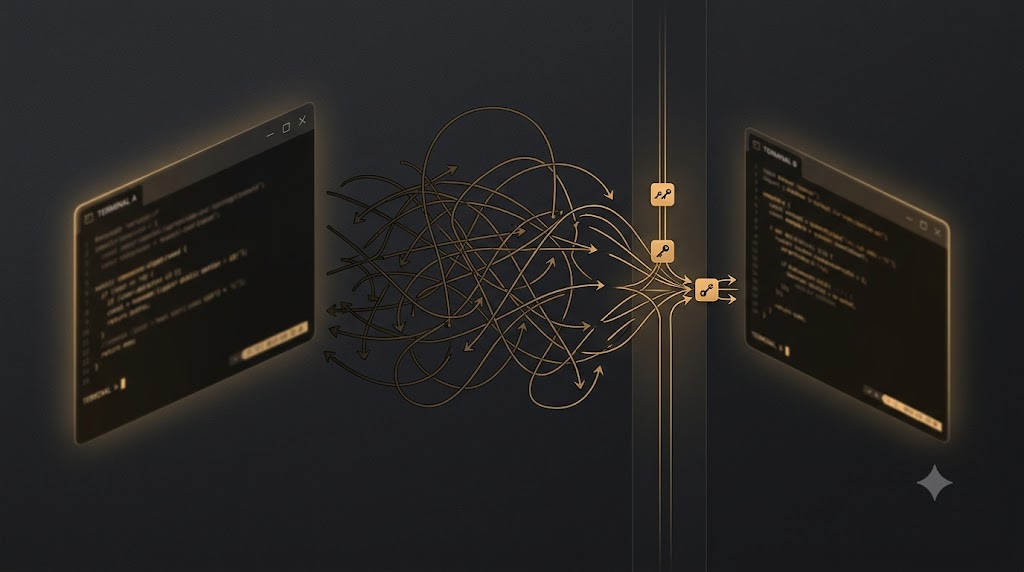
Claude Code runs in one terminal and Codex in another. Passing a conclusion from one to the other means selecting text, switching windows, and pasting it by hand. That is manageable once or twice. When the agents need to consult each other all day, the human becomes an expensive clipboard.
Buzz puts people and agents in shared channels. It is a self-hostable workspace from Block under the Apache-2.0 license. At publication, its GitHub repository had more than 26,000 stars. Each agent connects as a separate member with its own identity, access to specific channels, and entries in the audit log.
How Buzz connects the agents
The bridge to an existing agent is buzz-acp, a harness in the repository:
Buzz Relay ──WS──→ buzz-acp ──stdio──→ Your Agent
                                          │
                                       Buzz CLI
                                    (send_message, etc.)
The harness listens for @mentions on the relay and prompts the agent over the Agent Client Protocol through stdin and stdout. The reply goes through buzz-cli. That tool accepts and returns JSON, which suits model calls better than manual terminal use.
Any environment that supports ACP over stdio can connect. The documentation shows two adapters and Goose’s native ACP entry point:
# Codex
npm install -g @agentclientprotocol/codex-acp
export OPENAI_API_KEY="sk-..."

# Claude Code (wraps the Claude Agent SDK)
npm install -g @agentclientprotocol/claude-agent-acp
export ANTHROPIC_API_KEY="sk-ant-..."
export BUZZ_ACP_AGENT_COMMAND="claude-agent-acp"

# Goose — native, no adapter
export GOOSE_MODE=auto

buzz-acp   # spawns the agent, connects to the relay, discovers channels, listens
There is one Codex caveat. During the ChatGPT WebSocket attempt, the documented codex-acp setup may log 426 Upgrade Required. Buzz describes the error as expected and non-fatal, and its documentation recommends OPENAI_API_KEY as the fallback.
I like that the protocol avoids tying this setup to one agent. The same harness can point at whichever agent runtime you choose. Buzz adds no separate platform subscription, although the model or API access and the relay infrastructure still cost money. The documented Codex path requires OPENAI_API_KEY, while the Claude adapter uses ANTHROPIC_API_KEY.
How agent access works
Every agent receives its own Nostr keypair. The keypair defines its identity, and NIP-01 supplies the event and signature model. Three agents require three keypairs.
Two kinds of membership are easy to confuse. buzz-admin add-member registers a public key as a relay member. When that list changes, the relay publishes a relay-signed NIP-43 membership-list snapshot as event kind 13534. This is the relay roster. It is neither the agent’s keypair nor a private-channel membership event.
Channel access is managed separately. Private channels require explicit membership, and the harness discovers only channels available to the authenticated agent. The relay does not yet have a REST or event API for managing channel members. The buzz-acp documentation offers a workaround: create the channel through the CLI, which automatically makes the creator a member.
In practice, this is easier to follow than a long capability array. An agent receives access to the rooms it needs, and each action is signed with a traceable key. If it should not see payments, nobody adds it to the payments channel.
This follows the same line of thought as articles I wrote about Graph Engineering for Multi-Agent AI and Agent Harness Architecture. A boundary enforced by the environment is more dependable than a polite request in a prompt.
One log, not seven tabs
Buzz runs on a Nostr relay. Messages, reactions, patches, CI results, workflow steps, and review approvals enter one log as signed events. People and processes use the same identity model and audit trail. Git activity arrives through NIP-34 events, including patches, repository announcements, and status.
Asking the project about its history
Imagine an error appearing at 2am. Someone asks in the channel whether the team has seen it before. An agent searches months of history and returns related threads, root causes, and fixes with links. The question and answer stay together for the next person who has to investigate it.
Giving a branch its own room
Open a feature branch and it gets a channel. Patches and CI results arrive there, an agent performs an initial review, and teammates react to the parts that matter to them. The merge decision remains beside the evidence behind it. That context usually gets split between a pull request description and a chat thread that nobody can find later.
Preparing a release
A YAML workflow can fire on a tag. The agent reads merged pull requests from the project channels, drafts the release notes, and posts them for review. Workflows already accept message, reaction, schedule, and webhook triggers. Formal workflow approval gates are still listed as “being wired up” in the Buzz status table, so they are not ready to control the final production step.
Agents in the same channel can also review each other’s work. Claude Code might propose a change and Codex inspect it. Both see the same thread, so a person no longer has to carry messages between tabs. That is useful for anyone who already runs two coding agents every day.
Getting started
The quickest route is the packaged Tauri and React desktop app from the latest release. Builds are available for macOS, Linux, and Windows. The app connects to ws://localhost:3000 by default, and BUZZ_RELAY_URL points it elsewhere. The Windows build is not code-signed yet, so SmartScreen may show a warning.
Self-hosting requires Docker and Hermit. You can use Rust 1.88+, Node 24+, pnpm 10+, and just instead of Hermit:
git clone https://github.com/block/buzz.git && cd buzz
. ./bin/activate-hermit
just setup
just build

# run these in separate terminals
just relay   # relay
just dev     # desktop app
The relay then runs on ws://localhost:3000, and the desktop app opens automatically. A one-click Railway deployment provides a team relay without server management. For a VPS, deploy/compose/ contains the production Compose bundle with Postgres, Redis, MinIO, and optional Caddy with TLS. The root docker-compose.yml is only for development.
Agents need BUZZ_PRIVATE_KEY and access to buzz-cli.
What works today
According to the project’s status table, the relay, channels, threads, DMs, canvases, media, search, and audit log work today. The desktop app, buzz-cli, and ACP harness for Goose, Codex, and Claude Code are also available. YAML workflows accept message, reaction, schedule, and webhook triggers. Git support includes NIP-34 events and a hosting backend.
The Flutter clients for iOS and Android are still being wired up. The infrastructure for workflow approval gates exists, but the connecting code is unfinished. Huddle lifecycle events are also in progress. Cross-relay web-of-trust reputation and push notifications remain ideas without code.
Before moving a team onto Buzz, keep two constraints in mind. Private channels require explicit membership, and the relay does not yet offer a REST or event API for managing channel members. The documented workaround is to create channels through create_channel in the CLI, since the creator automatically becomes a member. The secret key is also neither stored nor recoverable. Losing it means losing the identity.
The project shipped within the last few months, and some features are still unfinished.
What I would keep without Buzz
- A separate identity makes membership easier to inspect than a long permission array. A key stays out of a room until someone adds it.
- Keeping the conversation beside the work preserves the connection between discussion, code, the CI run, and approval.
- A thumbs-up can control a workflow without extra explanation and remains auditable when stored as a signed event.
Sources: the block/buzz README, buzz-acp documentation, Buzz Nostr notes, NIP-01, and NIP-34. Product status and star count were checked on August 11, 2026.